Images for your club’s social media
A club that posts regularly looks alive, to opponents, to players looking for a club and to its own squad. VOC makes the images in the club’s colours with the numbers from the match sheet. You choose, share and copy the caption.
Colours, style, background and sponsors
In Club settings, under Images for social media, you set the look of every image, with a preview alongside:
- Three colours: primary, secondary and accent
- One of four styles: Modern, Classic, Neon or Minimal
- A background image, if you like
- Up to six sponsor logos, along the bottom of every image
Set this once and leave it. Repeating the same look is what makes the images feel like the club’s own.
Which image for which moment
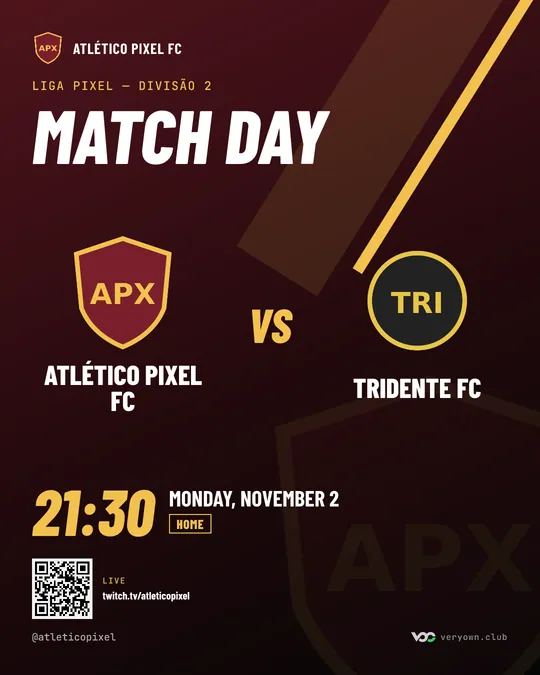
- Match day, before the match
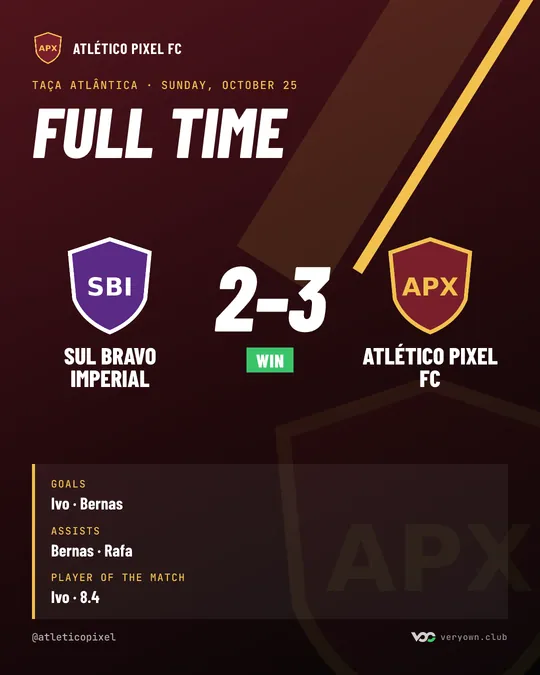
- Result, when the match ends
- Player of the match, after the match sheet
- Today’s matches, on a day with more than one match
- The week’s matches
- A player’s new signing, birthday and milestones
- Leaders, player of the month, player of the week and a run of results
- The Team Pick winner
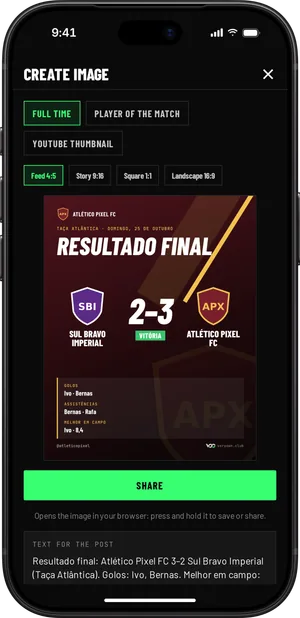
Create image is on the match, on the player’s profile, in the calendar and in Stats, in the app and on the web. VOC only shows what can be made at that moment. By default, the owner and the manager create images.
Formats: feed, stories, square and YouTube
- 4:5 for the Instagram feed
- 9:16 for stories and TikTok
- 1:1 square
- 16:9 for X, Discord and YouTube thumbnails
The YouTube thumbnail only comes in 16:9, for match videos.
The caption and the hashtags
Every image comes with a ready-made caption, in the club’s language, with the club’s hashtag and the Pro Clubs one. Copy it and paste it wherever you post.
The images carry a discreet veryown.club mark. Share them from your phone like any other image.
No one on social media duty
If the club has the VOC bot on its Discord, many of these images are posted there on their own: the result, the player of the match, the player of the week, new signings and birthdays. For Instagram, someone just has to open the match and tap share.